
Announcing DB Pro Studio
 Jay
JayDB Pro Desktop has become the go-to database client for thousands of developers. The UI, the speed, the experience. People love it, and we hear that every day.
So why build something new?
Because Desktop is a personal tool. It lives on your machine, with your connections and your queries. That works great when you're working alone. But the moment you need to share a query with a teammate, onboard a new hire, or fix something from your phone, you hit a wall. Desktop can't do that. No desktop app can.
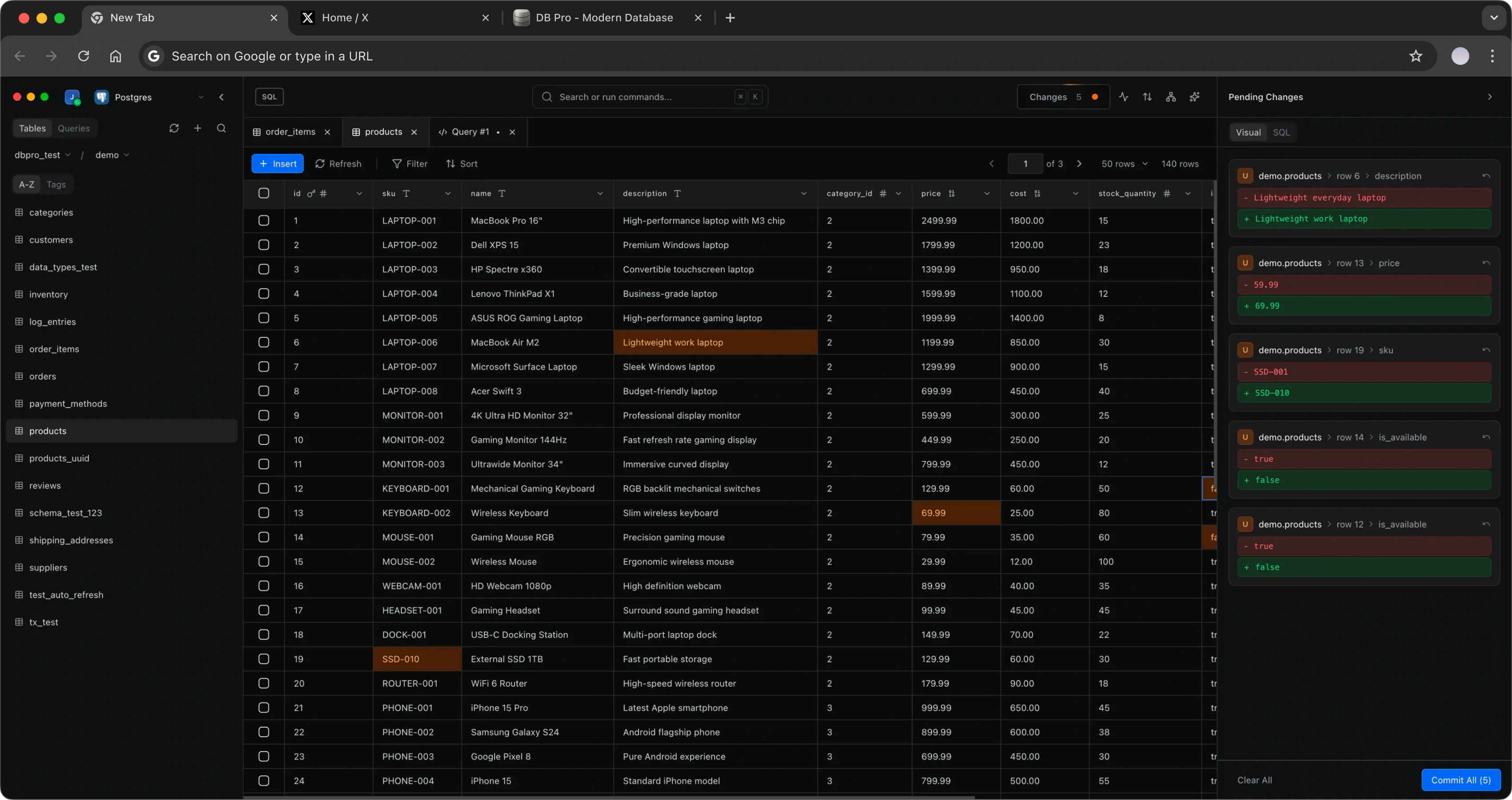
Studio is the answer. It's a self-hosted, web-based database client with the same experience you love in DB Pro, built for developers and dev teams who need database access from any device with a browser. Deploy it on your infrastructure, connect your databases, and work from anywhere. On your own or with your whole team.
Why not something that already exists?
We looked at what's out there and kept running into the same problem: nothing is built for dev teams who need to work with databases together in the browser.
Metabase is a BI tool. It's designed for dashboards and charts, not for developers writing queries, debugging data, or managing schemas. If you need to fix a customer record or explore a table, Metabase isn't the tool for that.
Retool is for building internal apps on top of your database. It's great if you need a form or a CRUD panel, but you're building UIs, not working with data directly. It's an app builder, not a database client.
pgAdmin and phpMyAdmin exist, but they're single-user, dated, and painful to use in a team setting. They were designed for DBAs working alone, not for teams collaborating on the same databases.
There is nothing built for dev teams who need to browse tables, write queries, fix data, and share their work. That's the gap Studio fills.
What you can do with Studio
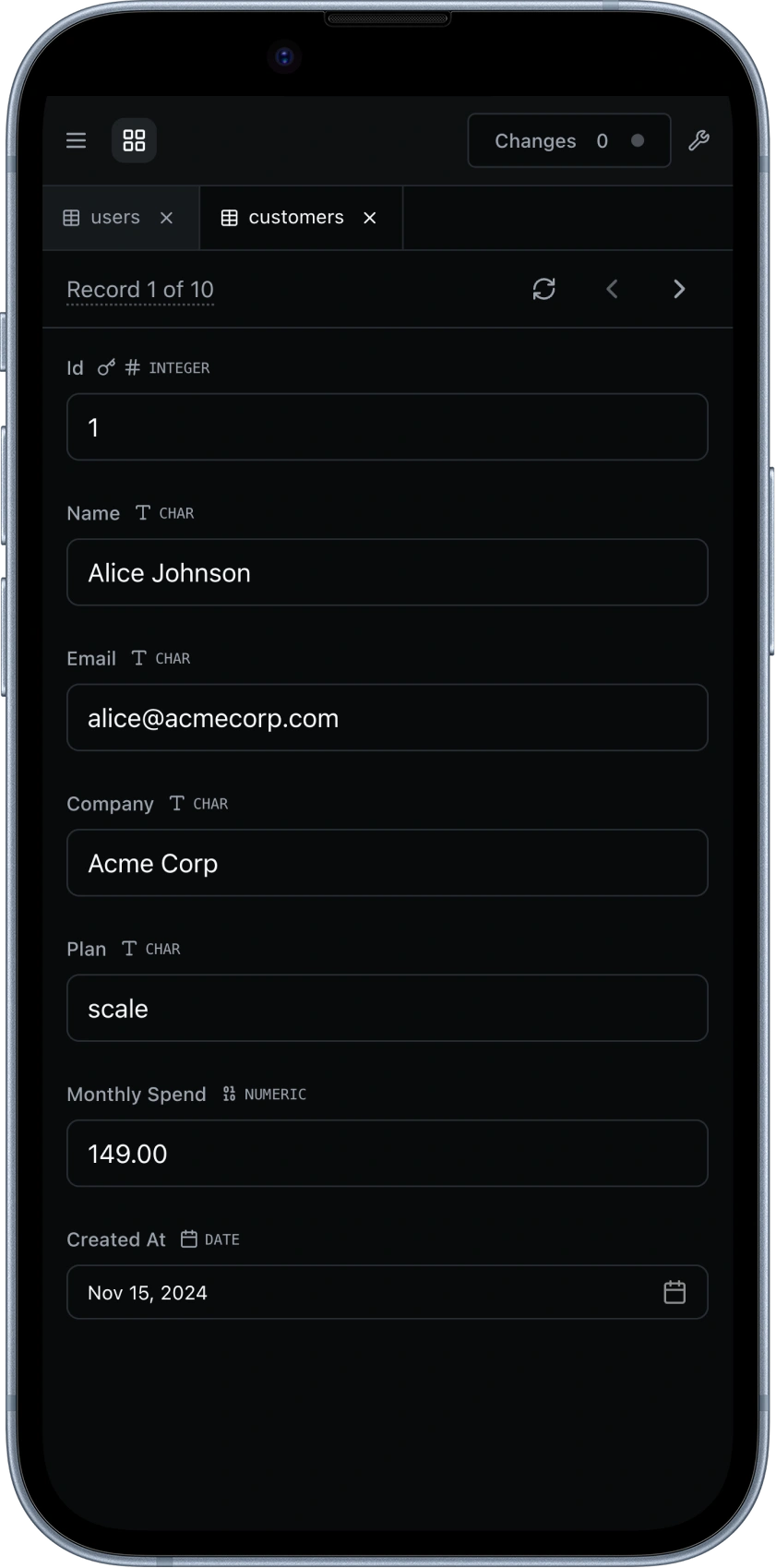
Fix a customer record from your phone
A customer emails about a broken account. You open Studio on your phone, find the record in the customers table, and change their status from "inactive" to "active." Done. No laptop needed, no waiting until you're back at your desk.
Share a query instead of a Slack message
Your teammate asks "how many signups did we get last week?" Instead of pasting SQL in Slack, you write the query in Studio and share it. They can run it themselves, modify it, or save it for next time.
Onboard a new dev in minutes
New hire starts Monday. Add them to your Studio workspace. They immediately have access to every database connection, every saved query, and every dashboard the team has built. No credential handoff. No setup docs. No "ask Sarah for the production password."
Debug production data without SSH
Something looks wrong in the orders table. Open Studio from any browser, connect to your production database (through your private network), and run a few queries to find the bad records. No VPN client, no terminal, no SSH tunnel setup.
Run a quick migration check across the team
You ran a migration and want to verify the schema changes look right. Open Studio, check the tables, then your teammate reviews the same tables from their machine. Everyone sees the same data in real time. No screenshots in Slack.
Self-hosted, your data
Studio runs on your infrastructure. Deploy it with a single Docker command:
Run it on an AWS EC2 instance, a GCP VM, an Azure server, an on-premise box, or even a Raspberry Pi. It works anywhere Docker runs.
Nothing leaves your network. There are no third-party services sitting between you and your databases. You control access, connections, and where everything lives.
Free to start
Studio has a free plan that covers most small teams:
- Free: 2 users, all supported databases, full query editor, browse/edit/export
- Team ($14/seat/month): Unlimited users, full collaboration, shared queries, dashboards, and priority support
- Enterprise: SSO, audit logging, role-based access control, and dedicated support
The Team plan comes with a 14-day free trial. No credit card required.
Get started
Check out DB Pro Studio to see what we're building, or start your 14-day trial to try the Team plan for free.
We're building Studio for developers who work with databases every day. If that's you, we'd love your feedback. Join our Discord and let us know what you think.
Keep Reading
DB Pro v1.6.0: Redis Support and PostgreSQL Enums
Redis database support with managed providers, and PostgreSQL enum browsing.
DB Pro v1.4.0: MSSQL, SSH Tunneling, and More
MSSQL support, SSH tunneling, Keychain integration, and more.
DB Pro v1.3.0: Database Creation, Multi-Query Editor & PlanetScale Vitess
Create databases directly from the sidebar, execute multiple queries at once, and connect to PlanetScale Vitess.